/* eslint-disable */
/* Bee Cleaner — sections (top half: Nav, Hero, Trust, Showcase, Features) */

const STORE_URL = "https://apps.apple.com/us/app/bee-cleaner-storage-cleanup/id6771672728";
window.STORE_URL = STORE_URL;

// ===== Icons (inline SVG) =====
const Icon = {
  Check: (p) => (
    <svg width="16" height="16" viewBox="0 0 16 16" fill="none" {...p}>
      <path d="M3 8.5L6.5 12L13 4.5" stroke="currentColor" strokeWidth="2" strokeLinecap="round" strokeLinejoin="round"/>
    </svg>
  ),
  Sparkle: (p) => (
    <svg width="20" height="20" viewBox="0 0 24 24" fill="none" {...p}>
      <path d="M12 3 L13.5 9 L19.5 10.5 L13.5 12 L12 18 L10.5 12 L4.5 10.5 L10.5 9 Z" fill="currentColor"/>
      <path d="M19 16 L19.7 18.3 L22 19 L19.7 19.7 L19 22 L18.3 19.7 L16 19 L18.3 18.3 Z" fill="currentColor" opacity="0.7"/>
    </svg>
  ),
  Photos: (p) => (
    <svg width="22" height="22" viewBox="0 0 24 24" fill="none" {...p}>
      <rect x="3" y="5" width="18" height="14" rx="3" stroke="currentColor" strokeWidth="1.8"/>
      <circle cx="9" cy="11" r="2" stroke="currentColor" strokeWidth="1.8"/>
      <path d="M3 17l5-4 4 3 3-2 6 5" stroke="currentColor" strokeWidth="1.8" strokeLinecap="round" strokeLinejoin="round"/>
    </svg>
  ),
  Video: (p) => (
    <svg width="22" height="22" viewBox="0 0 24 24" fill="none" {...p}>
      <rect x="2" y="6" width="14" height="12" rx="2" stroke="currentColor" strokeWidth="1.8"/>
      <path d="M16 10l6-3v10l-6-3" stroke="currentColor" strokeWidth="1.8" strokeLinejoin="round"/>
    </svg>
  ),
  Contacts: (p) => (
    <svg width="22" height="22" viewBox="0 0 24 24" fill="none" {...p}>
      <circle cx="9" cy="9" r="3.5" stroke="currentColor" strokeWidth="1.8"/>
      <path d="M3 19c0-3 2.5-5 6-5s6 2 6 5" stroke="currentColor" strokeWidth="1.8" strokeLinecap="round"/>
      <circle cx="17" cy="8" r="2.5" stroke="currentColor" strokeWidth="1.8"/>
      <path d="M14 18c.5-2 2-3 4-3s3.5 1 4 3" stroke="currentColor" strokeWidth="1.8" strokeLinecap="round"/>
    </svg>
  ),
  Mail: (p) => (
    <svg width="22" height="22" viewBox="0 0 24 24" fill="none" {...p}>
      <rect x="3" y="5" width="18" height="14" rx="2.5" stroke="currentColor" strokeWidth="1.8"/>
      <path d="M3 7l9 7 9-7" stroke="currentColor" strokeWidth="1.8" strokeLinejoin="round"/>
    </svg>
  ),
  Bell: (p) => (
    <svg width="22" height="22" viewBox="0 0 24 24" fill="none" {...p}>
      <path d="M6 17V11a6 6 0 0 1 12 0v6l1.5 2H4.5L6 17z" stroke="currentColor" strokeWidth="1.8" strokeLinejoin="round"/>
      <path d="M10 19a2 2 0 0 0 4 0" stroke="currentColor" strokeWidth="1.8" strokeLinecap="round"/>
    </svg>
  ),
  Compress: (p) => (
    <svg width="22" height="22" viewBox="0 0 24 24" fill="none" {...p}>
      <path d="M4 9V5h4M20 9V5h-4M4 15v4h4M20 15v4h-4" stroke="currentColor" strokeWidth="1.8" strokeLinecap="round" strokeLinejoin="round"/>
      <rect x="8" y="9" width="8" height="6" rx="1" stroke="currentColor" strokeWidth="1.8"/>
    </svg>
  ),
  Widget: (p) => (
    <svg width="22" height="22" viewBox="0 0 24 24" fill="none" {...p}>
      <rect x="3" y="3" width="8" height="8" rx="2" stroke="currentColor" strokeWidth="1.8"/>
      <rect x="13" y="3" width="8" height="8" rx="2" stroke="currentColor" strokeWidth="1.8"/>
      <rect x="3" y="13" width="8" height="8" rx="2" stroke="currentColor" strokeWidth="1.8"/>
      <rect x="13" y="13" width="8" height="8" rx="2" stroke="currentColor" strokeWidth="1.8"/>
    </svg>
  ),
  Heart: (p) => (
    <svg width="22" height="22" viewBox="0 0 24 24" fill="none" {...p}>
      <path d="M12 20s-7-4.5-7-10a4 4 0 0 1 7-2.6A4 4 0 0 1 19 10c0 5.5-7 10-7 10z" stroke="currentColor" strokeWidth="1.8" strokeLinejoin="round"/>
    </svg>
  ),
  Shield: (p) => (
    <svg width="22" height="22" viewBox="0 0 24 24" fill="none" {...p}>
      <path d="M12 3l8 3v6c0 5-3.5 8-8 9-4.5-1-8-4-8-9V6l8-3z" stroke="currentColor" strokeWidth="1.8" strokeLinejoin="round"/>
      <path d="M9 12l2 2 4-4" stroke="currentColor" strokeWidth="1.8" strokeLinecap="round" strokeLinejoin="round"/>
    </svg>
  ),
  Lock: (p) => (
    <svg width="22" height="22" viewBox="0 0 24 24" fill="none" {...p}>
      <rect x="5" y="11" width="14" height="10" rx="2" stroke="currentColor" strokeWidth="1.8"/>
      <path d="M8 11V8a4 4 0 0 1 8 0v3" stroke="currentColor" strokeWidth="1.8" strokeLinecap="round"/>
    </svg>
  ),
  NoCloud: (p) => (
    <svg width="22" height="22" viewBox="0 0 24 24" fill="none" {...p}>
      <path d="M7 17h10a4 4 0 0 0 1-7.9A6 6 0 0 0 6 9.5 4 4 0 0 0 7 17z" stroke="currentColor" strokeWidth="1.8" strokeLinejoin="round"/>
      <path d="M4 4l16 16" stroke="currentColor" strokeWidth="1.8" strokeLinecap="round"/>
    </svg>
  ),
  Swipe: (p) => (
    <svg width="22" height="22" viewBox="0 0 24 24" fill="none" {...p}>
      <path d="M9 11V5.5a1.5 1.5 0 0 1 3 0V11M12 11V7.5a1.5 1.5 0 0 1 3 0V11M15 11V8.5a1.5 1.5 0 0 1 3 0V14a6 6 0 0 1-6 6h-1a4 4 0 0 1-3.5-2L4 13a1.7 1.7 0 0 1 3-1.7l2 1.5V8a1.5 1.5 0 0 1 3 0V11" stroke="currentColor" strokeWidth="1.7" strokeLinejoin="round" strokeLinecap="round"/>
    </svg>
  ),
  Plus: (p) => (
    <svg width="14" height="14" viewBox="0 0 24 24" fill="none" {...p}>
      <path d="M12 5v14M5 12h14" stroke="currentColor" strokeWidth="2.5" strokeLinecap="round"/>
    </svg>
  ),
  Duplicate: (p) => (
    <svg width="22" height="22" viewBox="0 0 24 24" fill="none" {...p}>
      <rect x="8" y="8" width="12" height="12" rx="2.5" stroke="currentColor" strokeWidth="1.8"/>
      <path d="M4 16V6a2 2 0 0 1 2-2h10" stroke="currentColor" strokeWidth="1.8" strokeLinecap="round"/>
    </svg>
  ),
  Apple: (p) => (
    <svg width="22" height="22" viewBox="0 0 24 24" fill="currentColor" {...p}>
      <path d="M17.05 12.5c-.02-2.39 1.96-3.54 2.05-3.6-1.12-1.63-2.86-1.86-3.48-1.88-1.48-.15-2.89.87-3.64.87-.76 0-1.92-.85-3.16-.83-1.62.02-3.13.95-3.97 2.4-1.7 2.95-.43 7.3 1.21 9.69.81 1.17 1.77 2.49 3.02 2.44 1.21-.05 1.67-.78 3.13-.78 1.46 0 1.87.78 3.15.76 1.31-.02 2.13-1.19 2.93-2.37.92-1.36 1.3-2.68 1.32-2.75-.03-.01-2.54-.97-2.56-3.85zM14.69 5.18c.67-.81 1.12-1.94.99-3.06-.96.04-2.12.64-2.81 1.45-.62.72-1.16 1.86-1.02 2.96 1.07.08 2.17-.55 2.84-1.35z"/>
    </svg>
  ),
};

// ===== Nav =====
function Nav() {
  return (
    <nav className="nav">
      <div className="nav-inner">
        <a href="#" className="nav-brand">
          <img src="assets/icon.jpg" alt="Bee Cleaner"/>
          <span>Bee Cleaner</span>
        </a>
        <div className="nav-links">
          <a href="#features">Features</a>
          <a href="#how">How it works</a>
          <a href="#pricing">Pricing</a>
          <a href="#faq">FAQ</a>
        </div>
        <a href={STORE_URL} target="_blank" rel="noopener" className="btn btn-primary nav-cta">
          <Icon.Apple style={{width: 16, height: 16}}/>
          Download
        </a>
      </div>
    </nav>
  );
}

// ===== Hero =====
function Hero({ variant, accent }) {
  return (
    <section className="section hero" data-screen-label="01 Hero">
      <div className="hero-glow"/>
      <div className="container hero-grid">
        <div className="hero-copy">
          <div className="hero-tag">
            <span className="hero-tag-chip">NEW</span>
            <span>AI cleanup for iPhone, in your pocket</span>
          </div>
          <h1 className="h-display size-hero" style={{marginTop: 28}}>
            <span className="gradient">Free up </span>
            <span className="honey-text">gigabytes</span>
            <span className="gradient"><br/>in 30 seconds.</span>
          </h1>
          <p className="lead hero-lead">
            Bee Cleaner finds duplicate photos, large videos and forgotten
            screenshots — then removes them on your phone, never in the cloud.
            Your storage, swept clean.

          </p>
          <div className="hero-cta">
            <a href={STORE_URL} target="_blank" rel="noopener" className="appstore honey">
              <span className="as-icon"><Icon.Apple/></span>
              <span className="as-text">
                <small>Download on the</small>
                <strong>App Store</strong>
              </span>
            </a>
          </div>
          <div className="hero-trust">
            <span>3-day free trial</span>
            <span>·</span>
            <span>100% on-device</span>
            <span>·</span>
            <span>Cancel anytime</span>
          </div>
        </div>

        <div className="hero-visual">
          {variant === 'cinematic' && <HeroVisualCinematic accent={accent}/>}
          {variant === 'minimal' && <HeroVisualMinimal accent={accent}/>}
          {variant === 'product' && <HeroVisualProduct accent={accent}/>}
        </div>
      </div>
    </section>
  );
}

function HeroVisualCinematic({ accent }) {
  return (
    <>
      <div className="hero-phone-wrap">
        <div className="phone lg">
          <div className="phone-notch"/>
          <div className="phone-inner">
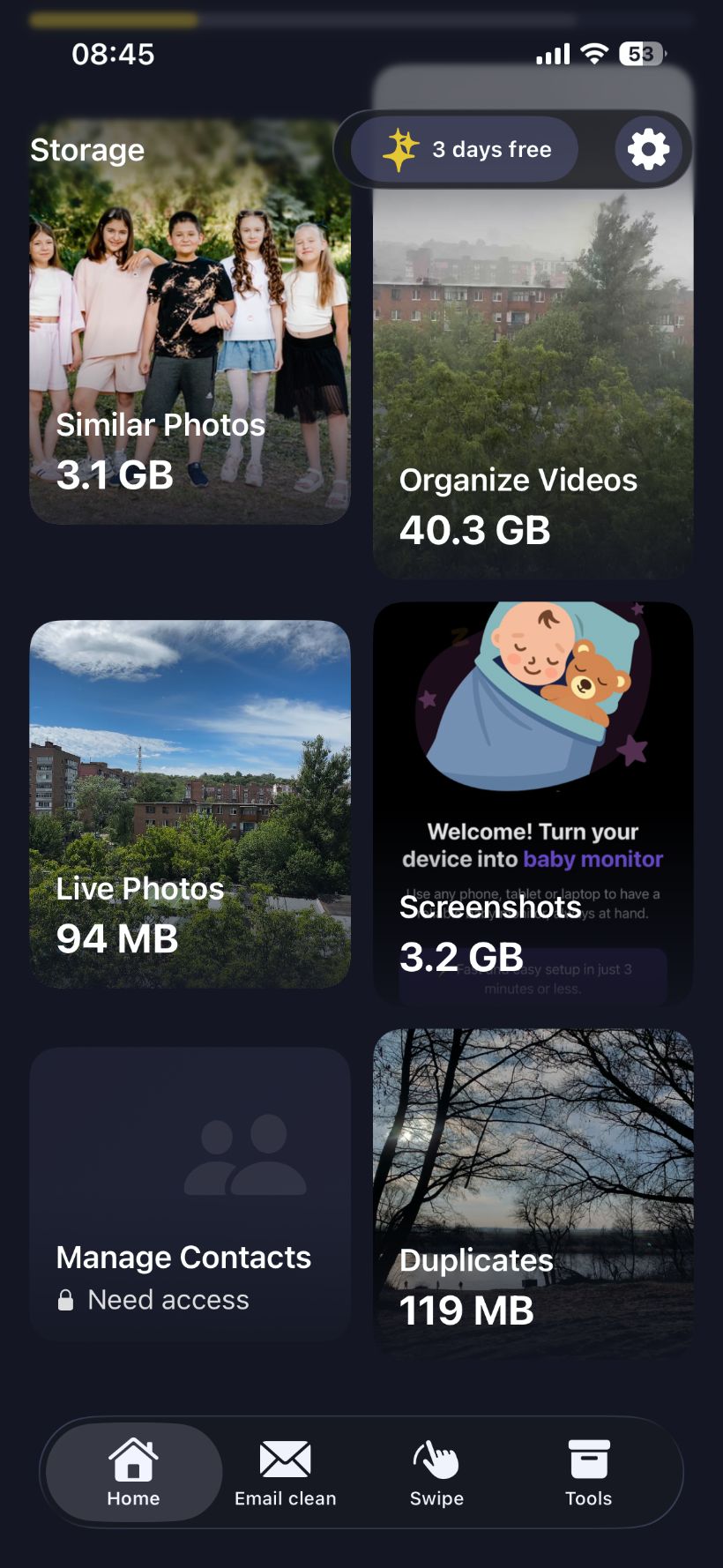
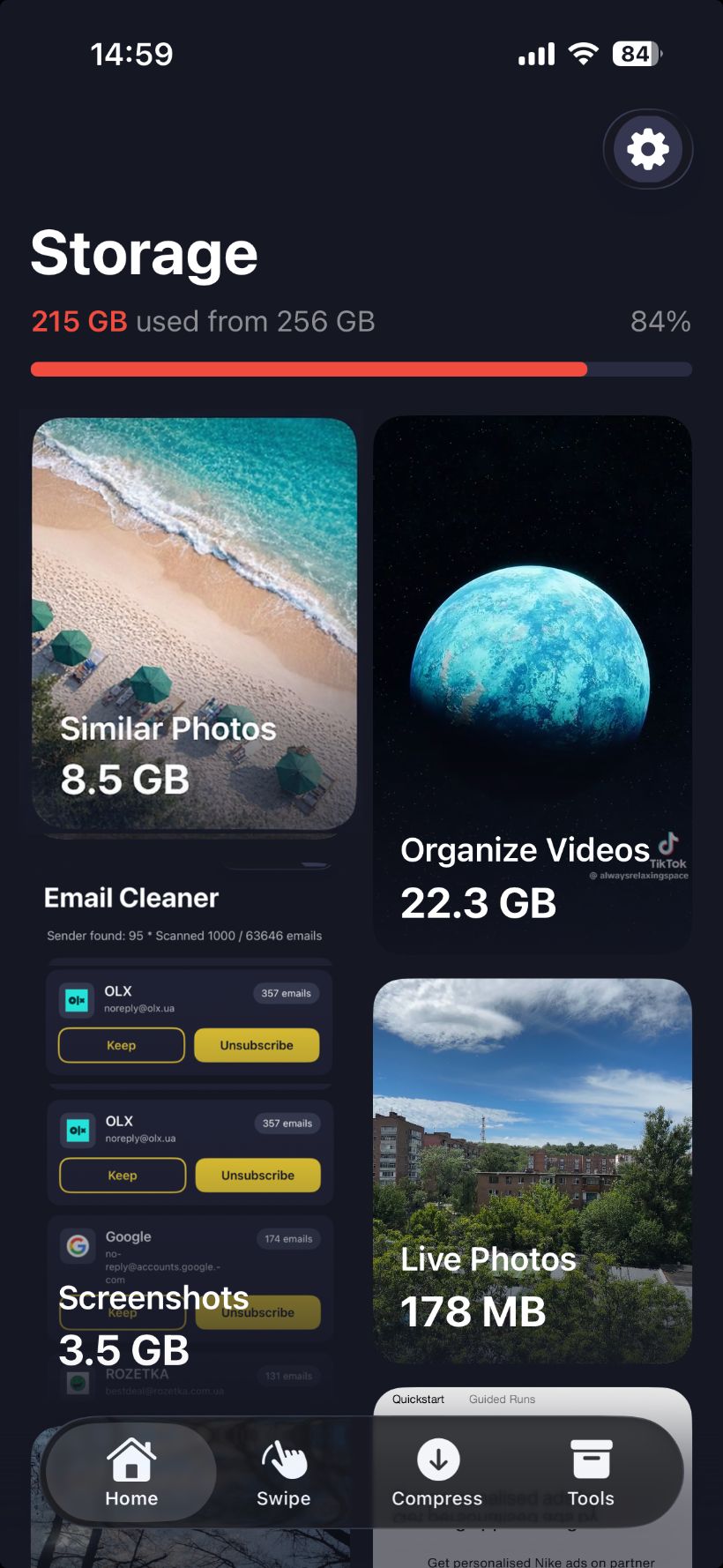
            <img src="assets/hero-home.jpg" alt="Bee Cleaner home"/>
          </div>
        </div>
      </div>
      <img src="assets/bee-cape-opt.png" className="hero-bee" alt=""/>
      <div className="hero-chip hero-chip-1">
        <div className="badge" style={{background: 'rgba(255, 214, 10, 0.15)', color: 'var(--honey)'}}>
          <Icon.Sparkle style={{width: 16, height: 16}}/>
        </div>
        <div>
          <div style={{fontSize: 11, color: 'var(--fg-3)'}}>Scanning</div>
          <div><strong>8.5 GB</strong> similar photos</div>
        </div>
      </div>
      <div className="hero-chip hero-chip-2">
        <div className="badge" style={{background: 'rgba(139, 92, 246, 0.15)', color: 'var(--violet)'}}>
          <Icon.Video style={{width: 16, height: 16}}/>
        </div>
        <div>
          <div style={{fontSize: 11, color: 'var(--fg-3)'}}>Found</div>
          <div><strong>22.3 GB</strong> in videos</div>
        </div>
      </div>
    </>
  );
}

function HeroVisualMinimal() {
  return (
    <div style={{
      position: 'absolute', inset: 0,
      display: 'grid', placeItems: 'center'
    }}>
      <div style={{position: 'relative'}}>
        <img src="assets/icon.jpg" alt="" style={{
          width: 220, height: 220,
          borderRadius: 50,
          boxShadow: '0 30px 80px -10px rgba(255,214,10,0.35), 0 0 0 1px rgba(255,255,255,0.08)'
        }}/>
        <div style={{
          position: 'absolute',
          inset: -40,
          borderRadius: '50%',
          background: 'radial-gradient(circle, rgba(255,214,10,0.25), transparent 60%)',
          zIndex: -1,
          filter: 'blur(20px)'
        }}/>
        <div style={{position: 'absolute', top: -20, right: -120, width: 200}}>
          <div style={{
            padding: '14px 18px',
            background: 'rgba(22, 26, 38, 0.9)',
            border: '1px solid var(--line)',
            borderRadius: 16,
            backdropFilter: 'blur(20px)',
            fontSize: 13,
            color: 'var(--fg)'
          }}>
            <div style={{fontSize: 11, color: 'var(--fg-3)', marginBottom: 4}}>Storage freed</div>
            <div style={{fontSize: 24, fontWeight: 700, letterSpacing: '-0.02em'}}>
              <span className="honey-text">+47.2 GB</span>
            </div>
          </div>
        </div>
        <div style={{position: 'absolute', bottom: 20, left: -140, width: 220}}>
          <div style={{
            padding: '14px 18px',
            background: 'rgba(22, 26, 38, 0.9)',
            border: '1px solid var(--line)',
            borderRadius: 16,
            backdropFilter: 'blur(20px)',
            fontSize: 13,
            color: 'var(--fg)'
          }}>
            <div style={{display: 'flex', alignItems: 'center', gap: 8, marginBottom: 6}}>
              <div style={{width: 8, height: 8, borderRadius: '50%', background: '#3ddc84', boxShadow: '0 0 10px #3ddc84'}}/>
              <span style={{color: 'var(--fg-3)', fontSize: 11}}>Cleaning</span>
            </div>
            <div style={{display: 'flex', justifyContent: 'space-between'}}>
              <span>1,050 / 9,098</span>
              <span style={{color: 'var(--honey)'}}>11%</span>
            </div>
            <div style={{height: 4, background: 'rgba(255,255,255,0.08)', borderRadius: 3, marginTop: 8, overflow: 'hidden'}}>
              <div style={{height: '100%', width: '11%', background: 'var(--honey)', borderRadius: 3}}/>
            </div>
          </div>
        </div>
      </div>
    </div>
  );
}

function HeroVisualProduct() {
  return (
    <div style={{position: 'absolute', inset: 0, display: 'grid', placeItems: 'center'}}>
      <div style={{display: 'flex', gap: 16, alignItems: 'center', position: 'relative'}}>
        <div className="phone sm" style={{transform: 'rotate(-6deg) translateY(20px)', opacity: 0.7}}>
          <div className="phone-notch"/>
          <div className="phone-inner"><img src="assets/duplicates.jpg" alt=""/></div>
        </div>
        <div className="phone">
          <div className="phone-notch"/>
          <div className="phone-inner"><img src="assets/home.jpg" alt=""/></div>
        </div>
        <div className="phone sm" style={{transform: 'rotate(6deg) translateY(20px)', opacity: 0.7}}>
          <div className="phone-notch"/>
          <div className="phone-inner"><img src="assets/tools.jpg" alt=""/></div>
        </div>
      </div>
    </div>
  );
}

// ===== Trust bar =====
function TrustBar() {
  const stats = [
    { num: '100%', label: 'On-device — no cloud' },
    { num: 'Up to 90%', label: 'Smaller videos after compression' },
    { num: '< 30s', label: 'Average first scan' },
    { num: '3 days', label: 'Free to try, cancel anytime' },
  ];
  return (
    <div className="container">
      <div className="trust-bar">
        <div className="trust-bar-inner">
          {stats.map((s, i) => (
            <div key={i} className="trust-stat">
              <strong><span className="honey-text">{s.num}</span></strong>
              <span>{s.label}</span>
            </div>
          ))}
        </div>
      </div>
    </div>
  );
}

// ===== Showcase =====
const SHOWCASE_TABS = [
  {
    id: 'duplicates',
    label: 'Duplicates',
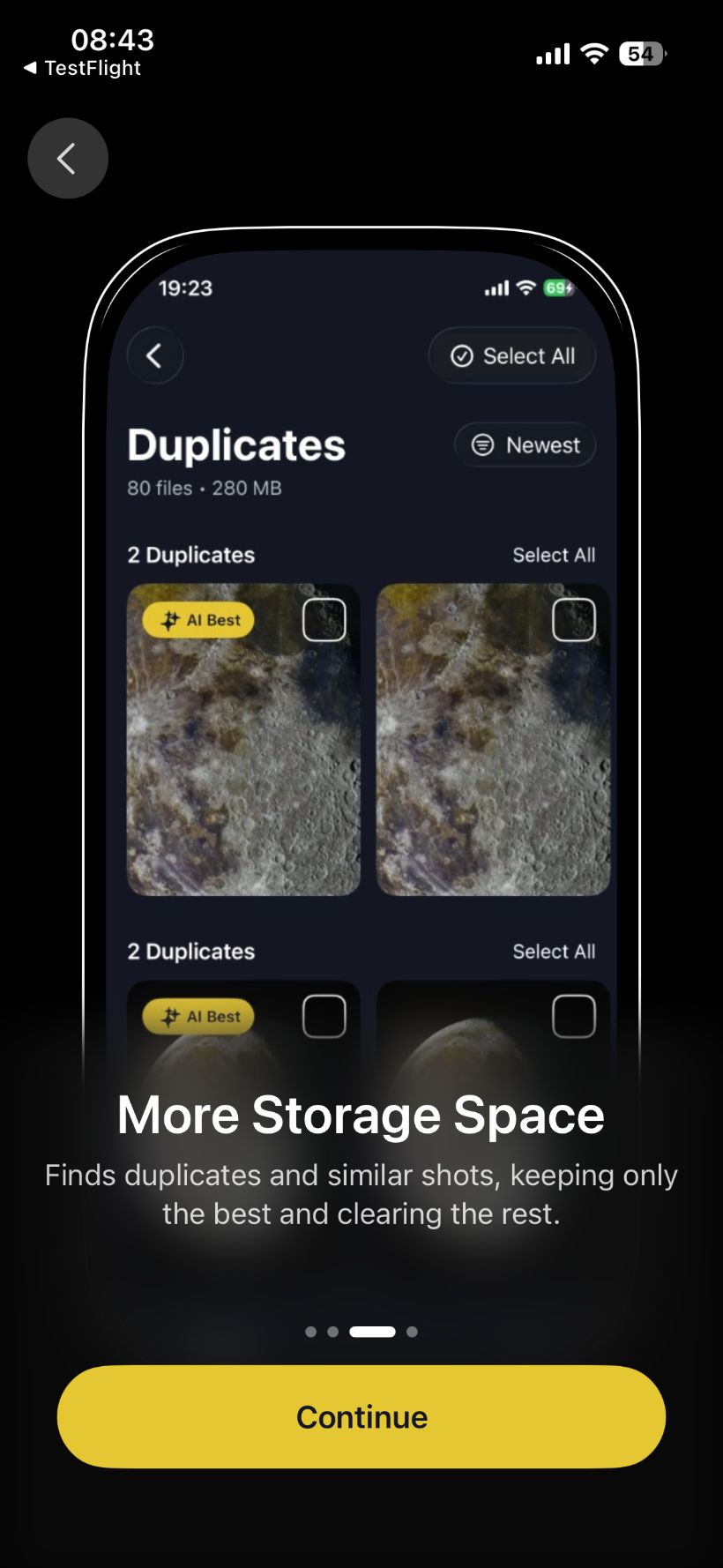
    title: 'Find every duplicate. Keep only the best.',
    desc: "Bee scans every photo and groups duplicates and near-duplicates. AI picks the sharpest shot, you tap once and the rest are gone.",
    bullets: [
      'Side-by-side comparison with "AI Best" tag',
      'Tap to keep favourites — they\'re protected forever',
      'Works on photos shot months apart',
    ],
    phones: ['assets/sc-videos.jpg', 'assets/sc-duplicates.jpg', 'assets/sc-screenshots.jpg'],
  },
  {
    id: 'videos',
    label: 'Videos',
    title: 'Shrink huge videos without losing quality.',
    desc: "Most phones bleed storage to 4K clips you'll never edit. Compress with a slider, preview the result, and reclaim 80% on average.",
    bullets: [
      'Adjustable compression — see the saving before you commit',
      'Original metadata preserved, format unchanged',
      'Batch process every video at once',
    ],
    phones: ['assets/sc-screenshots.jpg', 'assets/sc-videos.jpg', 'assets/sc-contacts.jpg'],
  },
  {
    id: 'screenshots',
    label: 'Screenshots',
    title: "That receipt you screenshotted in March? Gone.",
    desc: "Screenshots are 90% noise. Bee sorts them into stacks — keep what matters, sweep the rest in one swipe.",
    bullets: [
      'Swipe-to-clean gesture — fast and tactile',
      'Smart grouping by app, date and content',
      'One-tap "Keep" list for the ones you actually need',
    ],
    phones: ['assets/sc-contacts.jpg', 'assets/sc-screenshots.jpg', 'assets/sc-duplicates.jpg'],
  },
  {
    id: 'contacts',
    label: 'Contacts',
    title: 'Merge duplicate contacts in seconds.',
    desc: "Three numbers for the same person? Bee finds duplicates, missing info and lonely entries — and merges them with one tap.",
    bullets: [
      'Detect duplicates by name, number or email',
      'Auto-merge with full undo history',
      'Find contacts without numbers or emails',
    ],
    phones: ['assets/sc-duplicates.jpg', 'assets/sc-contacts.jpg', 'assets/sc-videos.jpg'],
  },
];

function Showcase({ layout }) {
  const [active, setActive] = React.useState(0);
  const tab = SHOWCASE_TABS[active];

  return (
    <section className="section showcase" id="features" data-screen-label="03 Showcase">
      <div className="container">
        <div className="section-head row">
          <div>
            <div className="eyebrow"><span className="dot"/>Tour</div>
            <h2 className="h-display size-section" style={{marginTop: 18}}>
              Everything you wish<br/>your gallery did itself.
            </h2>
          </div>
          <div className="showcase-tabs">
            {SHOWCASE_TABS.map((t, i) => (
              <button
                key={t.id}
                className={`showcase-tab ${i === active ? 'active' : ''}`}
                onClick={() => setActive(i)}
              >
                {t.label}
              </button>
            ))}
          </div>
        </div>

        <div className="showcase-stage">
          <div className="showcase-copy">
            <h3>{tab.title}</h3>
            <p>{tab.desc}</p>
            <ul className="showcase-bullets">
              {tab.bullets.map((b, i) => (
                <li key={i}><Icon.Check/> <span>{b}</span></li>
              ))}
            </ul>
          </div>
          <div className="showcase-phones">
            {layout === 'stack' && (
              <div className="phones-stack">
                <div className="phone sm p1">
                  <div className="phone-notch"/>
                  <div className="phone-inner"><img src={tab.phones[0]} alt=""/></div>
                </div>
                <div className="phone p2">
                  <div className="phone-notch"/>
                  <div className="phone-inner"><img src={tab.phones[1]} alt=""/></div>
                </div>
                <div className="phone sm p3">
                  <div className="phone-notch"/>
                  <div className="phone-inner"><img src={tab.phones[2]} alt=""/></div>
                </div>
              </div>
            )}
            {layout === 'single' && (
              <div className="phone xl">
                <div className="phone-notch"/>
                <div className="phone-inner"><img src={tab.phones[1]} alt=""/></div>
              </div>
            )}
            {layout === 'grid' && (
              <div className="phones-grid">
                <div className="phone">
                  <div className="phone-notch"/>
                  <div className="phone-inner"><img src={tab.phones[1]} alt=""/></div>
                </div>
                <div className="phone">
                  <div className="phone-notch"/>
                  <div className="phone-inner"><img src={tab.phones[0]} alt=""/></div>
                </div>
              </div>
            )}
          </div>
        </div>
      </div>
    </section>
  );
}

// ===== Features grid =====
function Features() {
  const items = [
    { icon: <Icon.Photos/>, title: 'Similar Photos', desc: "AI groups visually-similar shots and flags the best one to keep.", art: 'home', tall: false },
    { icon: <Icon.Video/>, title: 'Video Compress', desc: "Shrink 4K clips by up to 80% with a single slider. Preview before saving.", art: 'compress' },
    { icon: <Icon.Bell/>, title: 'Smart Reminders', desc: "Bee nudges you to clean before storage fills up.", art: null, violet: true },
    { icon: <Icon.Duplicate/>, title: 'Delete Duplicates', desc: "Find exact duplicate photos hiding across your library and remove every copy in one tap." },
    { icon: <Icon.Contacts/>, title: 'Merge Contacts', desc: "Finds duplicates and contacts with missing info." },
    { icon: <Icon.Swipe/>, title: 'Swipe-to-clean', desc: "Like Tinder for your gallery — keep or sweep with a flick." },
    { icon: <Icon.Mail/>, title: 'Email Cleanup', desc: "Unsubscribe, archive, and clear inbox bloat from one place." },
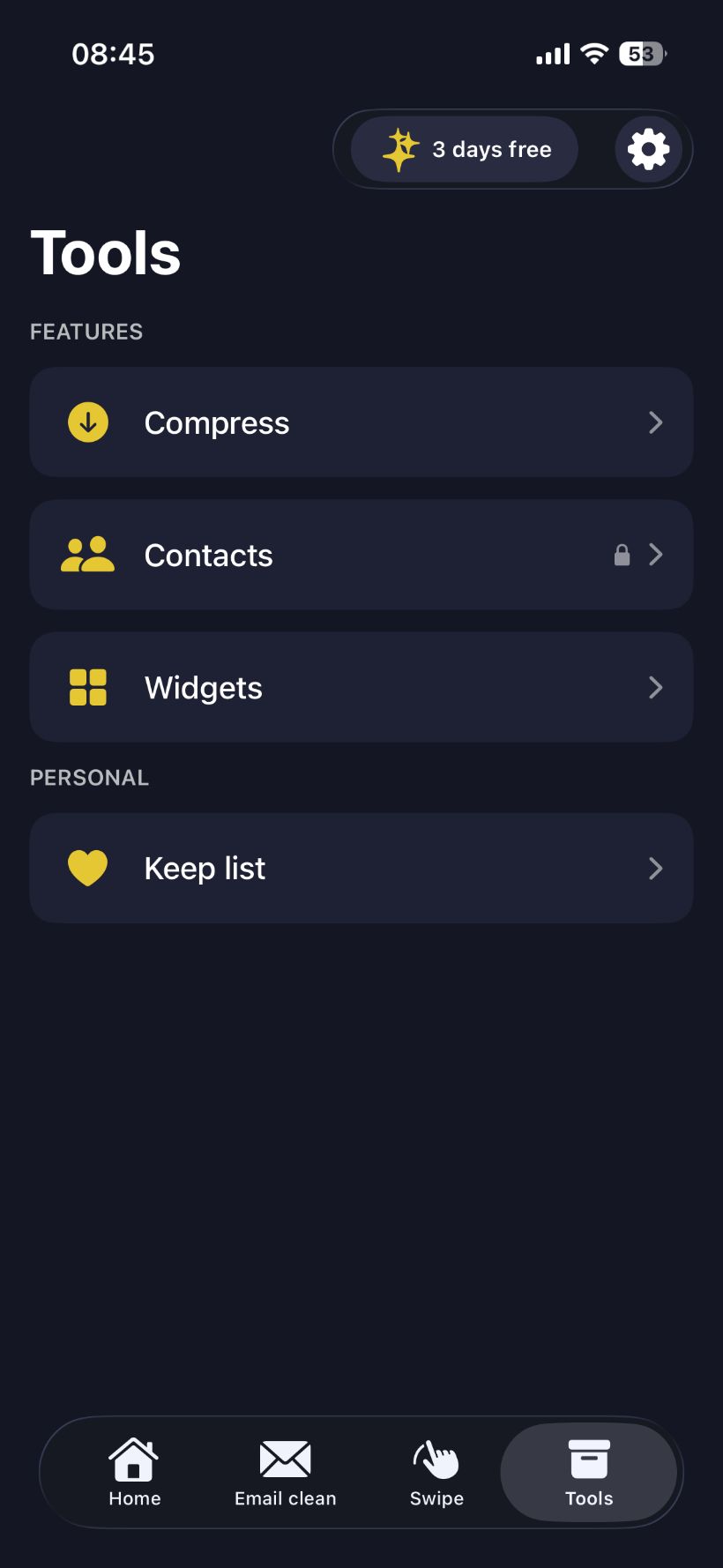
    { icon: <Icon.Widget/>, title: 'Home Widgets', desc: "See free space and cleanup tips right on your home screen." },
    { icon: <Icon.Heart/>, title: 'Keep list', desc: "Lock favourites so they\'re never suggested for deletion." },
  ];

  return (
    <section className="section" data-screen-label="04 Features">
      <div className="container">
        <div className="section-head center">
          <div className="eyebrow"><span className="dot"/>Features</div>
          <h2 className="h-display size-section">
            One app. Every kind<br/>of clutter, sorted.
          </h2>
          <p className="lead" style={{textAlign: 'center'}}>
            Nine tools that work together. Open one, free the other eight at no extra tap.
          </p>
        </div>
        <div className="features-grid">
          {items.map((f, i) => (
            <div className="feat-card" key={i}>
              <div className={`feat-icon ${f.violet ? 'violet' : ''}`}>{f.icon}</div>
              <h4>{f.title}</h4>
              <p>{f.desc}</p>
            </div>
          ))}
        </div>
      </div>
    </section>
  );
}

Object.assign(window, { Icon, Nav, Hero, TrustBar, Showcase, Features });